
*This article may contain affiliate links. For full information, please see the disclaimer here.
Most of us language learners aim for spoken fluency. Being able to articulate ourselves well in another language and sounding like a native speaker… that’s the dream!
If you’re like me and you’ve been searching for language learning resources that address this particular goal, why not consider Glossika?
Glossika is a language learning app focusing on spaced repetition and sentence mining. It claims to improve skills through natural language acquisition. But is it really all it’s cracked up to be?

In this Glossika review, I’m sharing my experience with Glossika, exploring its strengths and weaknesses, and whether it can truly help you achieve fluency. I’m covering everything from the app’s unique approach to its effectiveness in building long-term memory. So, buckle up and get ready to learn if Glossika’s worth a spot in your language learning toolbox!
What is Glossika?

Glossika offers a unique approach to language learning that centers around spaced repetition and natural conversation practice.
Unlike traditional apps that focus on memorizing vocabulary lists, Glossika presents learners with complete sentences spoken by native speakers. By repeating these sentences aloud or typing them out, you gradually absorb grammar, pronunciation, and vocabulary in context.
You probably won’t remember it but this is exactly how you learned language(s) as a child. You were consistently exposed to the said language and you learned in context.

Glossika boasts a vast library of full sentences for 60+ languages, with content tailored to your current proficiency level and interests. You can focus on general topics or specific areas like business or travel. And through its spaced repetition algorithm, Glossika personalizes your daily review sessions.
With this program, you get to exercise your listening and speaking, and to some degree, reading and writing skills. You can type the sentences you hear, record yourself speaking them, or test your recall by trying to write them down from memory. This multi-faceted approach caters to different learning styles and reinforces the information through a variety of review modes.
Glossika’s learning methods
Glossika’s way of teaching languages in a natural conversation context isn’t new; many apps and language courses have done this. However, the program highlights principles that work together to produce what we can consider a distinct route to learning languages. Let’s take a closer look at these methods.
Spaced repetition

Glossika is all about repetition, repetition, repetition. Its algorithm intelligently tailors your daily practice session, ensuring you revisit the material at optimal intervals to solidify recently learned concepts.
You hear sentences just when you’re about to forget them and hear them again after a longer period until they’re ingrained in your long-term memory. Following this method, you’ll notice that the app spends less time revisiting sentences that you likely already remember.
Active recall

The app seamlessly integrates active recall into its exercises by allowing you to perform tasks stimulating your memory.
Here’s how it works: After listening to a sentence spoken by a native speaker, you’ll be prompted to recall it by typing the sentence yourself, translating it into your native language, or even shadowing the recording by speaking along. The key is that you’re actively reconstructing the sentence from memory, not simply recognizing it passively.
Comprehensible input and desirable difficulty
In creating its courses, Glossika considered Stephen Krashen’s input hypothesis and Robert Bjork’s desirable difficulties.
The input hypothesis emphasizes the importance of exposure to content that’s slightly above our current level. Glossika’s sentences are carefully chosen to start off familiar and gradually introduce new vocabulary and grammar structures.
This sweet spot between familiarity and challenge helps you absorb new information without feeling overwhelmed. Think of it as training wheels for your brain, slowly increasing the difficulty as your comprehension improves.
This approach aligns with the concept of desirable difficulty, which shows that we learn more when the material is challenging enough to require effort but not so difficult that it leads to frustration.
Glossika combines comprehensible input and desirable difficulty to keep you engaged and motivated while steadily pushing you to expand your language abilities. You don’t just level up, you also avoid the pitfalls of rote memorization without true understanding.
Mass sentence

If you’re a fan of word lists, well, I’m sorry to disappoint you but you won’t be getting that with Glossika. This app breaks away from traditional methods by employing a “mass sentence” approach. Instead of dissecting grammar rules or memorizing vocabulary lists in isolation, it bombards you with thousands of natural sentences spoken by native speakers.
As I said earlier, this immersion simulates how children acquire language — through repeated exposure to lots of complete sentences in context. Over time, you develop an intuitive understanding of sentence patterns, pronunciation, and vocabulary, all while building fluency through practice.
What languages can you learn with Glossika?
One of the best things about Glossika is its wide range of languages. with over 60 options available!

You’ll find major languages spoken by millions such as Arabic, Chinese, French, Hindi, German, Italian, and more. But there are also lesser-known languages that Glossika aims to preserve. These include Catalan, Welsh, Hakka, and Manx.
You can learn these languages from any base language, which means you don’t have to be stuck with English. You can easily choose your target language within the alphabetical list, by language family, or by region.

That said, while I appreciate that I could learn Korean from Tagalog, I opted to use English because I found some of the Tagalog sentences to be too formal and outdated.
How much does Glossika cost?
Glossika offers a freemium subscription model with two paid tiers: Basic and Pro.

The free account grants unlimited access to a selection of minoritized languages, which includes Catalan, Gaelic, Hakka (Sixian), Hakka (Hailu), Kurdish (Sorani), Manx, Welsh, Taiwanese, and Wenzhounese. This is certainly helpful in preserving these languages.
The Basic plan, which costs $16.99/month, lets you focus on one language at a time, with the option to switch languages once a month. You can also download 100 sentence pairs for offline use. If you only want to learn one language, this plan can be cost-effective.
The Pro plan costs $30.99/month. This is the most feature-rich option, providing unlimited access to all 60+ languages offered by Glossika. You can also download 500 sentence pairs for offline use and learn multiple languages simultaneously.
The good news is that paying annually means you get to save up to 19% on these plans. And you can also try it for free for 7 days!
(Note: If you’d like to support Learn Languages From Home, make sure to complete your purchase through the Glossika website (not the mobile app). You can sign up and use whatever platform you want, but if you make the purchase using the website, I make a small commission. Thanks!)
Learning with Glossika
What do Glossika lessons look like? How long do they take? What are the program’s best features? We’ll look at these and more on this quick guide.
Setting up your Glossika account
Glossika is accessible both as a web platform and a mobile app. Except for a few instances when I had to check some features, I mostly used the Android app.
Setting up a Glossika account on either platform is a simple process. On the sign-up page, you’ll be asked to enter your email address and create a secure password. Agree to Glossika’s Terms and Privacy Policy and then, click on “sign up”. And voila, you’ve successfully created your Glossika account!
After signing up, you’ll need to choose your base language (or source language) and target language (the language you want to learn). Then, you can take a placement test, which will help determine the appropriate starting level for your Glossika training.

This placement test consists of listening and comprehension questions. There’s no time limit, so answer at your own pace. You can also retake the test anytime if you feel the current level is too hard or easy.
When I took the Korean level test for the first time, my level was A1. After more than a month into the trial, I retook the test and got a B1.
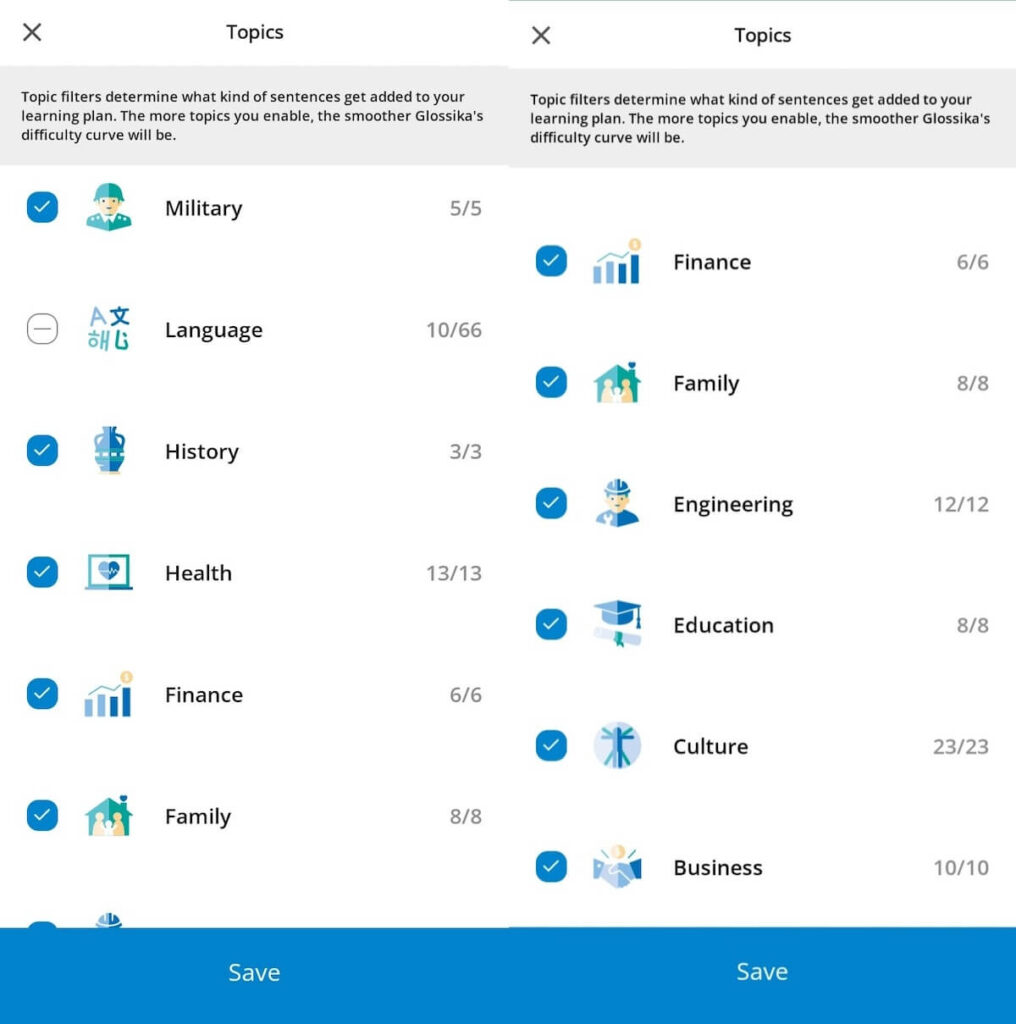
Glossika will also let you choose which topics you want to learn. By default, all of these are checked off and unless you want to learn particular topics, it’s best to just leave them be.
Learning new sentences on Glossika
Glossika is one of the simplest language-learning apps I’ve ever used. In essence, there are only two things you can do within the app: learn new items and review.
After signing up, choosing a course, and filtering topics (optional), you can start learning new items. An item refers to one sentence and completing one sentence counts as one “rep” (repetition).

By default, each Glossika session or learning activity introduces five new sentences repeated five times, making up a total of 25 reps. You can adjust your goals for learning new items and review sessions anytime.
When learning new sentences, you can choose between two modes: full practice or listening only. Full practice is recommended for active learning, while the Listening-only mode is great for learning on the go.

With the full practice mode, you’ll hear a native speaker say a sentence and see it written on the screen. Since I took the Korean course, each item came with the sentence in English and Hangeul, and its IPA and Romanized transcriptions.
The full practice mode requires you to re-type the sentence. If, like me, you choose to read a language with a non-Latin script, you can type the sentence in its local script or its Romanized transcription.

The listening-only mode simply allows you to passively listen to the sentence. No need to type out sentences.
You can set the playback speed for both the base and target language, as well as the interval between repetitions. On both modes, you also have the option to record the sentence. You can choose to auto-record and preview the recordings, too.

If the recording option is off, the app automatically moves on to the next sentence after you hear the native speaker’s recording. This is basically the app’s hands-free mode and this is how I studied Korean while washing the dishes or showering.
I find that when I do full practice, my sessions last for about 30 minutes. On the listening-only mode with recording, I take about 15 to 20 minutes, and even shorter when I go hands-free.
Reviewing sentences on Glossika
The review mode focuses on reinforcing what you’ve already learned. This is where Glossika’s spaced repetition algorithms shine, helping you improve long-term retention.

Glossika offers several review options to personalize your experience:
- Priority Review – This mode prioritizes the most recently learned or weakest memory items based on Glossika’s algorithm. It’s a good choice for a balanced review.
- Weakest Memories – Focuses on sentences you struggled with the most during learning. This is helpful for targeted practice in challenging areas.
- Collections – This allows you to review all encountered sentences non-stop.
- Favorites – Reviews sentences you’ve marked as favorites (by clicking the heart underneath the sentence) for easy access.
- Your List – Focuses on reviewing your custom list non-stop. Custom lists can be made by clicking the button next to the heart or by creating one within the library.
- Levels – This lets you continuously review items from completed levels.
Glossika presents sentences based on your chosen review mode. Like in the “learn new items” mode, you can re-type the sentences or simply shadow them. There are also dictation exercises wherein you have to type while the original sentence is hidden.

And if you don’t choose any of the review modes above, Glossika will still track your performance and adjust the review schedule based on its algorithm and your accuracy. For instance, sentences you answer correctly (by typing) will be presented at longer intervals, while those you struggle with will be shown more frequently.
You can also “hide” sentences if they’re too easy for you and you’d like to skip them. Hidden sentences will no longer show up in your review sessions but you can still access them in your library.
Additional features
Here are some other things you can see in your Glossika dashboard:
The Achievement tab shows your current level, the number of sentences and reps you’ve done, the number of hours, and the total number of “learn new items” and “review” sessions.
The Library is where you can see all the sentences you’ve learned and reviewed. Clicking on a sentence will show you the translation, transcripts, phonics, memory strength, and all your recordings of the sentence.

You can also download sentences for offline study in the Library. Once downloaded, you can access them in the Downloads tab. You can download up to 500 sentences.
What I love about Glossika
I used Glossika to learn Korean for about three months — not too long but enough to get used to the features and the course. I’ve read of some users who spent nine months or more on the app and found great success.
In my case, it was a challenge to get into it at first because it’s unlike any other app I’ve tried before. I was used to gamified apps and highly interactive programs. But I soon came to see its merits. Here are some of the things I loved about the app.
User-friendly interface
Glossika’s interface couldn’t be simpler. From the get-go, I could see that it prioritizes clarity and ease of use. It’s clutter-free and devoid of flashy animations or graphics, so the focus stays on learning sentence after sentence. There’s also a clear distinction between the learning and review sections.
I love that the menus are well-organized, allowing you to switch between languages, lessons, review modes, course settings, and your account dashboard with ease. You can even switch between learning modes (full practice or listening only) during a session and control the playback speed.

Progress indicators are also visible, keeping you informed about your current level and lesson completion within a level. Plus, the mobile app mirrors the core interface of the web platform. While I mostly used the mobile app, I loved that I could have the same user experience during the few times that I logged in on the web app.
Audio quality and emphasis on listening skills
While Glossika has typing exercises and the option to record your voice, its main teaching tools are the native speaker’s audio recordings. And I have to say, Glossika’s audio is among the best in quality, at least for the Korean course.
I’ve been watching Korean shows for years and I can say that the Korean sentences here sound clear and natural, with a standard accent and proper enunciation. The sentences also follow 해요체 (haeyoche) speech level, which is informal but still polite. This is the most common speech style and is used in everyday situations.

Glossika does a great job of building listening comprehension through consistent exposure. Being constantly bombarded with sentences spoken by native speakers at varying speeds helped me familiarize myself with native pronunciation, intonation, and different speech patterns.
It’s important to mention that while you can learn through passive listening, this process takes years and even then, you might not necessarily be good at speaking.
To make the most out of Glossika courses, or any language learning app for that matter, you need to listen actively. This means doing full practice whenever possible, shadowing the native speaker, and recording your speech.
Spaced repetition done right
There are a few other apps that put spaced repetition at the forefront as much as Glossika does. Glossika’s spaced repetition algorithm plays a central role in solidifying your memory of the target language. From day 1, learning is all about strengthening your memory.
I have to admit that this seemed easy (and boring) at first. I was learning simple sentences that I had no trouble remembering and spelling out. But as sentences piled up, it became more challenging to remember the sentences. It became a nice mental workout for me.
Glossika claims that you need the following number of reps to reach the corresponding milestones:
- 25,000 reps – You can speak sentences naturally and the language already feels familiar to you.
- 50,000 reps – You can engage in casual conversations.
- 75,000 reps – You gain more technical vocabulary for specific scenarios.
- 100,000 reps – You’ve mastered the language and can say pretty much anything you want.
At a mere 5,966 reps, I am nowhere near the minimum recommended goal. However, I could see some improvements, especially in my listening comprehension.
I say this because I also used other apps while trying out Glossika (highly recommended; will explain later) and I noticed that I could easily answer some of the exercises in those apps because I’ve already learned them on Glossika. As I watched Korean shows, I was surprised at how I began to recognize more Korean phrases even without looking intently at the subtitles.
It also helps that I learned full sentences, not random and isolated words. This gave me the natural context I needed to increase recall.
Some areas for improvement
Glossika is great and it helped me boost my listening skills (and speaking skills, to some extent). But I believe Glossika is best used in conjunction with other learning resources and it’s not meant for beginners. Here are some of the reasons why:
It can get tedious
I’ve hinted at this in the previous sections: Glossika is very repetitive and it can get boring.
This shouldn’t come as a surprise as its core method is spaced repetition and it dives straight into lessons. But while spaced repetition is effective, there were a lot of times that I found the exercises monotonous, especially compared to the other apps I was using.
Glossika also lacks visuals, heavily relying on text and audio instead. This is fine by me but visual users may find the app unengaging.
As someone who enjoys gamified learning and interactivity in my lessons, Glossika felt more passive to me. There were no challenges to check off, no leaderboards to reach, and no shiny rewards. I could live with that but it’s just not fun. I imagine beginners will find the “seriousness” intimidating too.
No pronunciation on feedback
But perhaps my biggest complaint is Glossika’s lack of speech recognition software.
Sure, you can compare your pronunciation accuracy with the native speaker’s recording but doing so means you rely solely on your own listening skills. This can be a drawback if you struggle to identify your pronunciation errors, especially the subtle ones (looking at you, aspirated and tense consonants!).

Having a voice recognition engine would’ve motivated me more to shadow the native speaker. In my hands-free sessions, I tried to speak aloud after every item. But without a speech recognition system in place, I wasn’t really *forced* to do so. And even if I mangled the pronunciation, I could still move on to the next sentence without problems.
There’s already a recording feature, not putting voice recognition was a missed opportunity.
Limited focus on grammar, reading, and writing skills
Glossika’s primary focus is on developing fluency and pronunciation through spaced repetition and shadowing techniques. It’s great but it does come with a trade-off: limited emphasis on grammar, reading, and writing skills.
Some would argue that you don’t need to intensively study grammar for you to understand a language, or that you can internalize it with consistent exposure. But I don’t think it’s that simple.
Any learner, especially beginners, can benefit from understanding sentence structures, conjugation rules, etc. This is especially true when learning languages that are so grammatically different from your base language, as is the case when learning Korean from English. Unfortunately, grammar explanations don’t exist on Glossika.
On the other hand, reading and writing exercises are present… sort of. Apart from the typing exercises, the program doesn’t offer exercises designed to help you read and write. This poses a problem if you’re a new learner in a language that uses a writing system different from your base language.
If you’re a beginner with no prior practice in writing and reading Hangeul, you’ll need to use another resource as Glossika doesn’t teach these at all.
My verdict: Is Glossika worth it?
So, did I like Glossika enough to recommend it?
The short answer: yes!
Glossika does a great job of improving listening and speaking skills through natural language acquisition and spaced repetition. It’s simple, fuss-free, and effective. If you’re a fan of clean interface, value audio quality, and don’t mind repetitiveness in your lessons, go for it.
But Glossika is not a one-stop solution for complete language learning. If you’re a novice with no background in grammar, reading, and writing, you’ll need to start elsewhere. If you crave engaging and gamified features and want to get instant feedback on your pronunciation, I recommend using Glossika alongside other learning resources.
If you enjoy the above features and decide to stick with the program for several months, Glossika can be a powerful tool for improving your fluency.
FAQ about Glossika
Can I become fluent with Glossika?
Glossika can help you achieve fluency, especially for listening comprehension and spoken conversation. Its spaced repetition and shadowing techniques effectively train your ear and speaking muscles. However, fluency also involves understanding grammar, reading, and writing.
Since Glossika has a limited focus on these areas, you might need to combine it with other resources for well-rounded language learning.
How long does it take to finish Glossika?
Glossika doesn’t have a definitive “finish line” because it focuses on spaced repetition for long-term retention. So, it depends on your daily practice time and goals. Some users report reaching conversational fluency after 9-12 months with consistent practice (10-15 sentences a day or 50-75 reps).
Is Glossika good for beginners?
Beginners might find the lack of grammar explanations and immediate feedback on pronunciation challenging. But if you’re a beginner who thrives on structure and repetition, Glossika can be a good supplement alongside resources that offer grammar explanations and visuals.
If you prefer a more interactive and beginner-friendly approach, other language learning apps such as Mondly, Rocket Languages, Ling, and Babbel might be better alternatives.
What’s the best way to use Glossika?
To maximize Glossika’s effectiveness, focus on consistency and prioritize active participation. Aim for daily practice sessions, even if short, to leverage the power of spaced repetition. During lessons, engage fully by typing and shadowing the sentences aloud. Consider using it alongside other resources to develop a holistic understanding of grammar, reading, and writing.
What languages are available on Glossika?
Glossika boasts a wide selection of languages, making it a versatile language-learning platform. It has over 65 languages on offer, including popular languages like French, Spanish, German, Chinese, and Italian, as well as less frequently taught languages like Gaelic, Welsh, and Hakka.
What apps are similar to Glossika?
When it comes to focusing on fluency and pronunciation, apps like Pimsleur and MosaLingua offer audio-based lessons with a strong emphasis on repetition and shadowing practice. Hiring tutors on Preply and italki also helps with gaining conversational skills.
However, for a more gamified experience with similar goals, consider Mondly, Ling, or Duolingo. For comprehensive courses, I recommend Babbel and Rocket Languages.
Is Glossika worth it?
Whether Glossika is worth it depends on your goals. It excels at improving fluency and pronunciation through spaced repetition and shadowing but lacks features like grammar explanations or writing practice.
If you prioritize speaking and listening and enjoy repetitive practice, Glossika can be a valuable tool. However, for well-rounded learning or a more interactive experience, consider using other options alongside Glossika.
Can I use Glossika for free?
Glossika operates on a paid subscription model but it has a free plan that gives unlimited access to some minoritized languages such as Catalan, Kurdish, Manx, Wenzhounese, and more.